
The upper list shows the component or AVL groups found during matching. Its most important columns are Name, References, Selected MPN/Manufacturer, and Status.
The lower list shows the available AVL and library candidates for the selected component group. Select the required candidate using its checkbox. The Pin Analysis column summarizes the comparison between the CAD package and the package stored in the selected library entry.
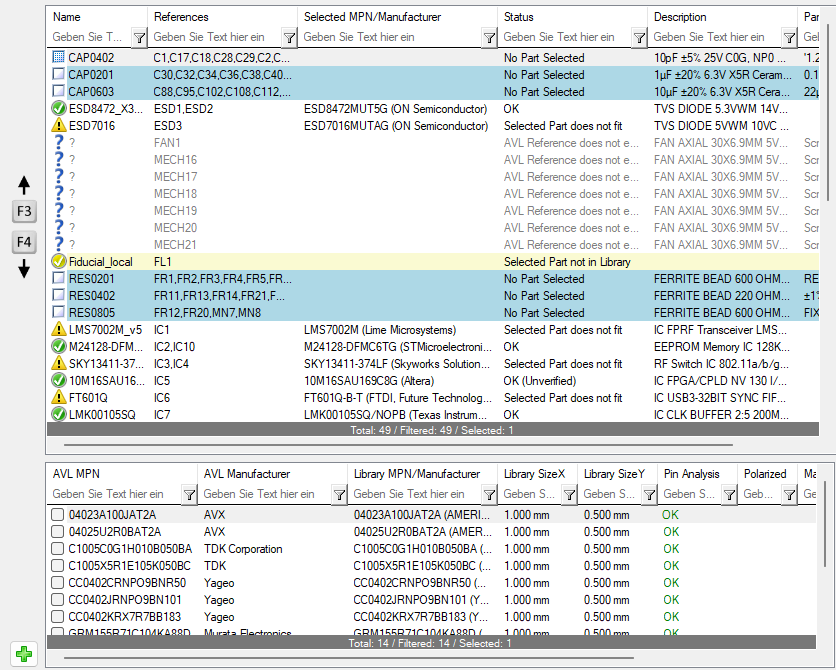
Use F3 and F4 to select the previous or next component entry.