
Open the Infrastructure Analysis tab.
Before starting, make sure that the project contains at least one Boundary Scan component, one probe, and one net classified as Signal.
Select Start to calculate the JTAG infrastructure.
The analysis checks the TCK, TMS, and optional TRST connections as well as the TDI/TDO chain between Boundary Scan devices. It also checks pull-up, pull-down, and required compliance conditions where applicable.
The result can be reviewed in the report and graph views.
In the Report View, select a detected chain to display its details. Check whether all expected Boundary Scan devices are listed and whether the chain order is correct.

In the Graph View, use the result list to select the paths that should be shown. Check All displays all listed paths, while Uncheck All hides them.
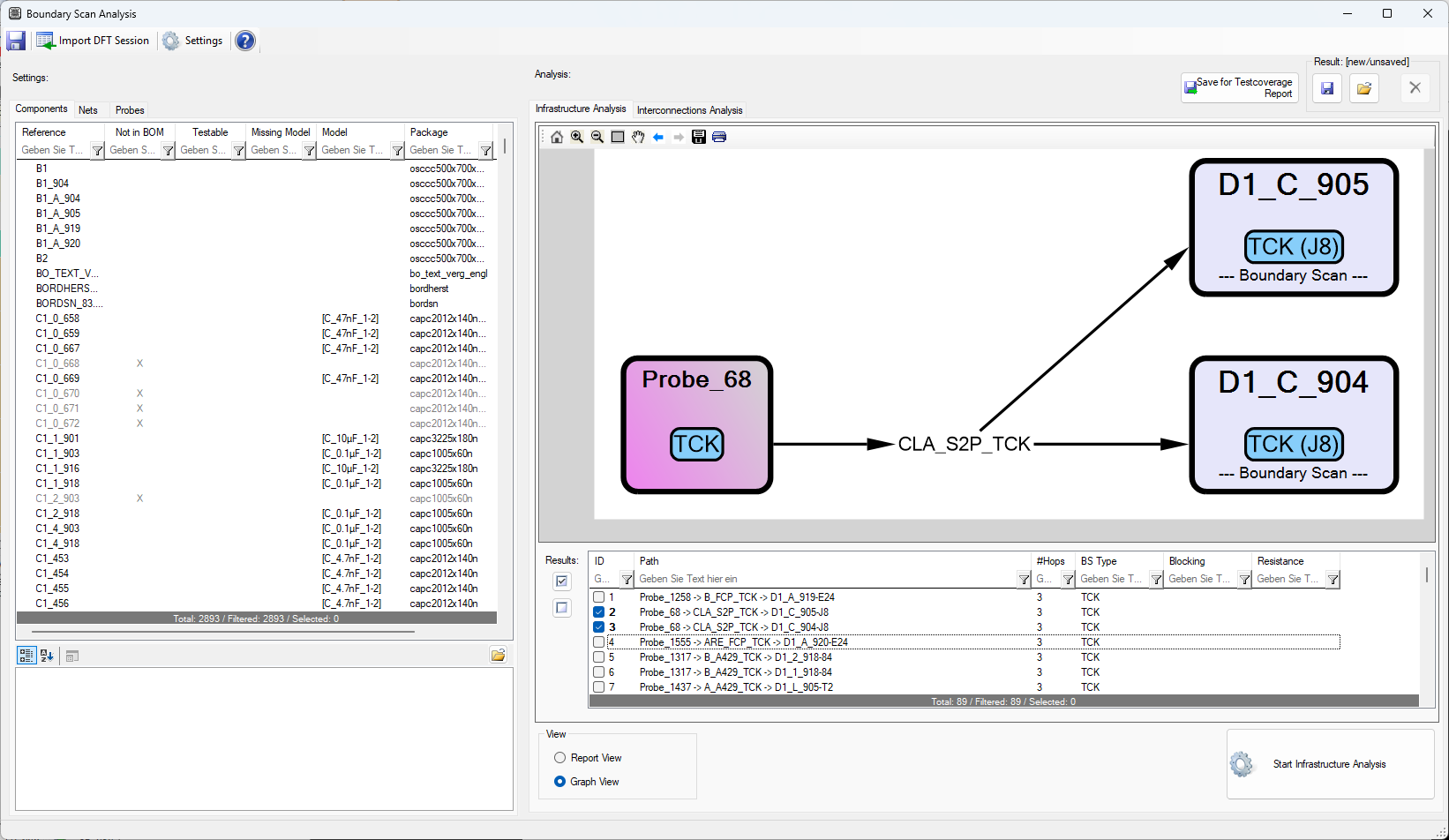
Blocking paths are highlighted in red. When an expected path is missing or blocking, check the BSDL assignment, TDI/TDO mapping, net types, passive models, probes, and resistance limits.